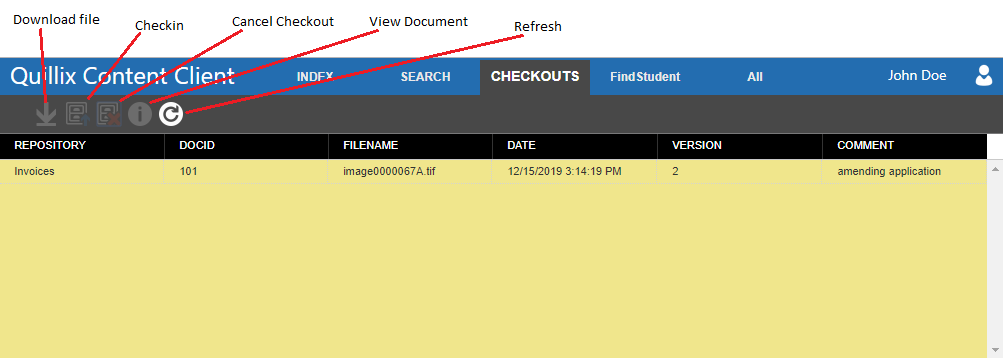
Figure 1 - Checkouts Panel
Using the Checkouts Panel, you can see which files you have checked out and manage those files. Permission to check out files is granted or denied by the System Administrator. If you do not have permission to check out files, the list on this panel will always be empty.
The Checkouts Panel is divided into two sections: a toolbar and a grid of checked out files.
Figure 1 - Checkouts Panel
The toolbar has the following tools.
 Download file button
 Check In button
 Cancel Check Out button
 View Document button
 Refresh button
This section shows the files you currently have checked out. The toolbar buttons will operate on the currently selected row in this grid.