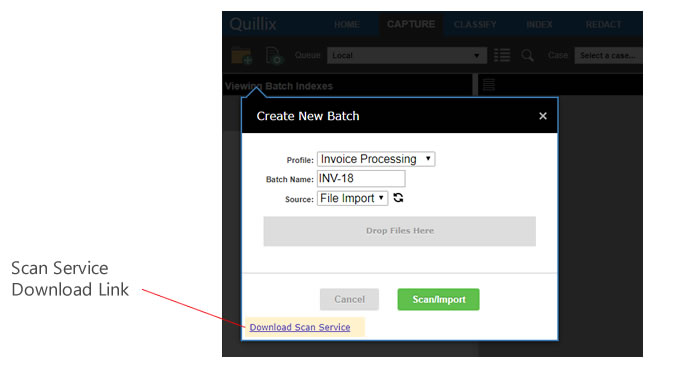
You can use Quillix Web to create a new batch by scanning one or more pages. To scan a batch, you must have:
You may be able to take advantage of features embedded in your scanner or included with your scanner's software. Refer to your scanner's documentation for information about how to configure and use scanner specific features
In order to import pages from a scanner with Quillix Web, Quillix Scan must be installed on your computer. To install Quillix Scan, click on the Download Scan Service link in the Create New Batch dialog and follow the instructions in the installer.
Important: Batches captured using Quillix Scan can be seen in the Local Queue only when Quillix Scan is running.