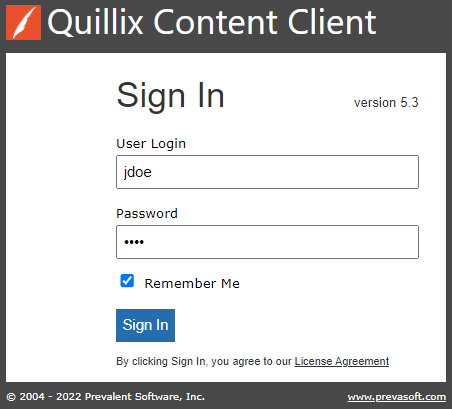
To start using the Quillix Content Client application, a valid user Login and Password must be entered into the appropriate fields at the Sign In screen. By entering your Login information and clicking Sign In, you are agreeing to the Prevalent License Agreement. To view the license agreement before signing in, click on the License Agreement link below the Sign In button.
Your Sign In screen may have a 'Remember Me' checkbox. If it is available, Remember Me stores a token on your device so you can skip the Sign In screen the next time you launch the Quillix Client application.
Your system administrator sets several parameters for the Remember Me option.
Enable or disable the Remember Me feature
The duration of the Remember Me token
Whether you may have Remember Me tokens on multiple devices
If you have questions about this feature, please contact your system administrator.
Figure 1 - Quillix Sign In Screen
Your Quillix Login and Password are unique to you and should be kept safe. Everything that you do in the Quillix Content Client application while logged in is recorded in the Quillix Audit Log as being done by you. Never give your login and password to another person.
If you have forgotten your login or password, you must contact your system administrator to have your password reset. There is no way to change your password from the Quillix Content Client unless you know your login and current password and can successfully login.