The Search Panel
Using the Search Panel, you can enter field values and search for matching documents.
Search Panel Layout
The Search Panel is divided into two sections: a toolbar and prompt fields. The prompt fields are shown after selecting a query from the drop-down list on the toolbar. (Some queries have no prompt fields so this section will be empty). After providing any desired search criteria, click the 'Execute Search' button to run the query. If any matches are found, a result panel will be opened.
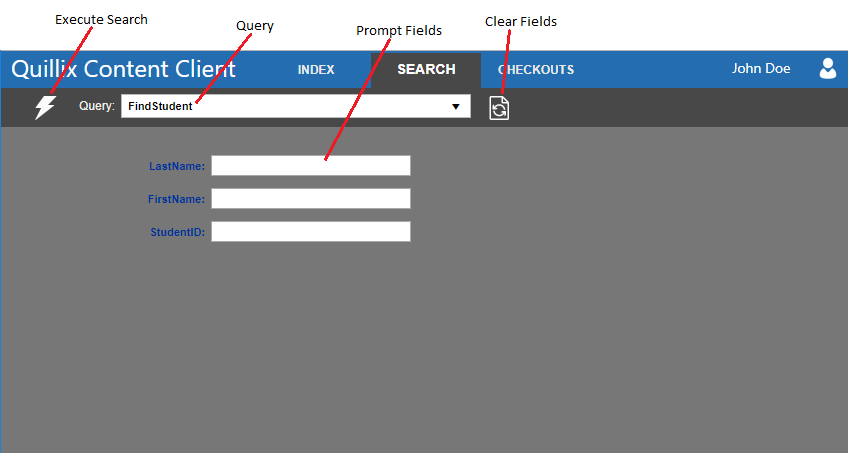
Figure 1 - Search Panel
Toolbar
The toolbar has the following tools.
 Execute Search button
- This will run the query with the specified search values.
- Query drop-down list
- When you select a query from this list, the fields for that query will be displayed in the prompt fields section.
 Clear Fields button
- This will clear the value of each field in the prompt fields section.