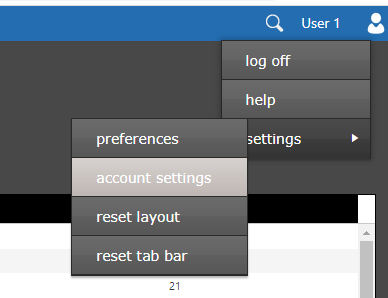
Start by opening the 'account settings' window. This can be done by clicking the user name field in the top right corner of the window. This will display the user menu. Select 'settings', then 'account settings'.
Figure 1 - Account Settings Menu
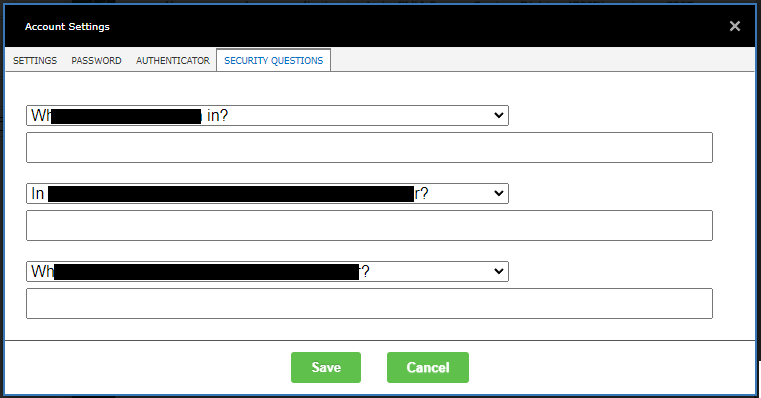
The 'account settings' window will be displayed. Select the 'security questions' tab. You must select three different questions and provide answers for each. When choosing your questions, please keep in mind the following:
| Characteristic | Explanation |
|---|---|
| Memorable | The user must be able to recall the answer to the question, potentially years after creating their account. |
| Consistent | The answer to the question must not change over time. |
| Applicable | The user must be able to answer the question. |
| Confidential | The answer to the question must be hard for an attacker to obtain. |
| Specific | The answer should be clear to the user. |
Click the Save button to save your changes. When you next display this dialog, you will see your security questions (possibly in a different order) but you will not see your answers. If you want to change a question, simply select the new question from the drop down list. Then, provide answers for all three questions.