Picklists are managed through the Picklists Editor.
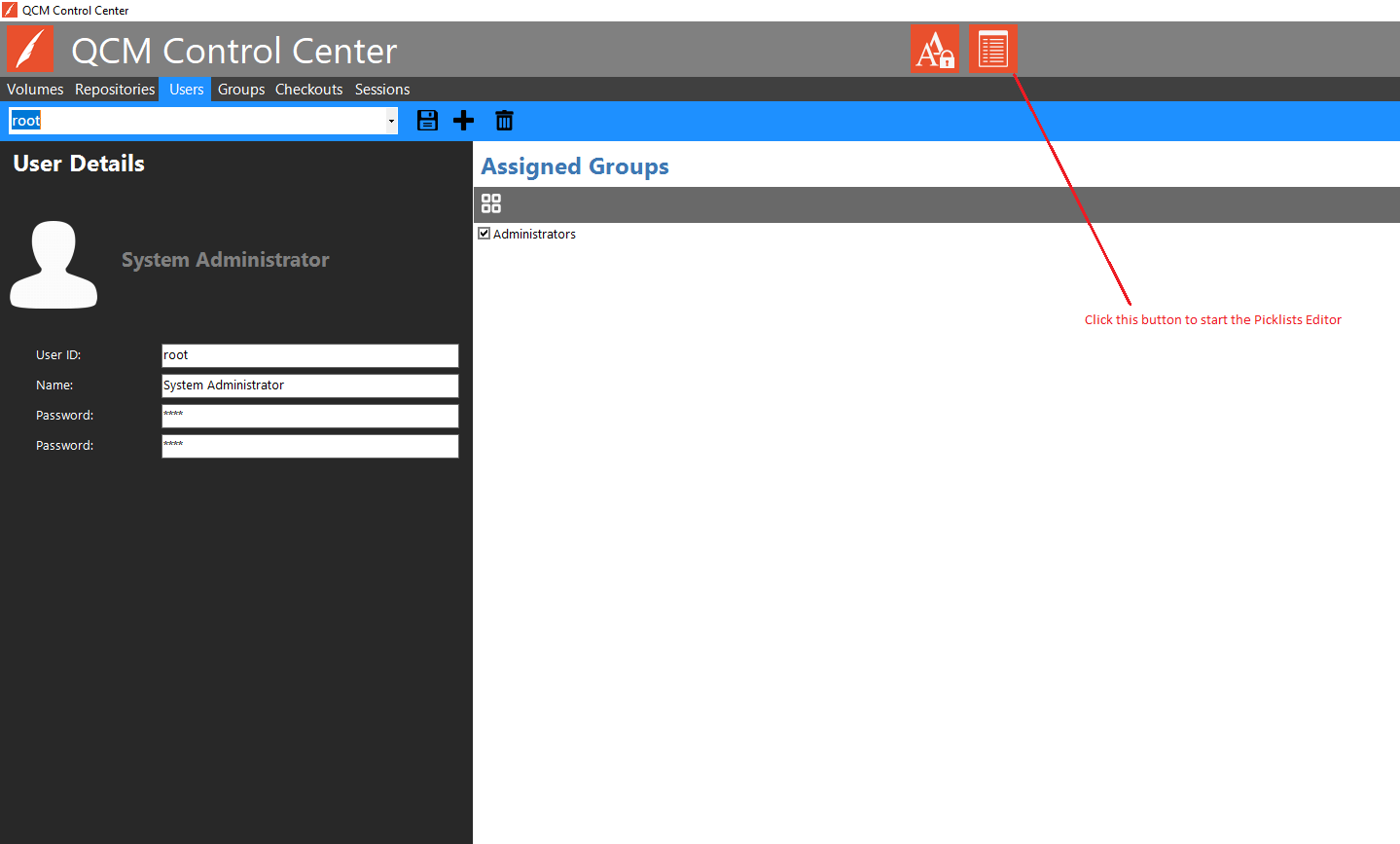
The Picklists Editor can be started in two ways. The first way is to click the Picklists Editor button from the QCM Control Center title bar, as shown here:
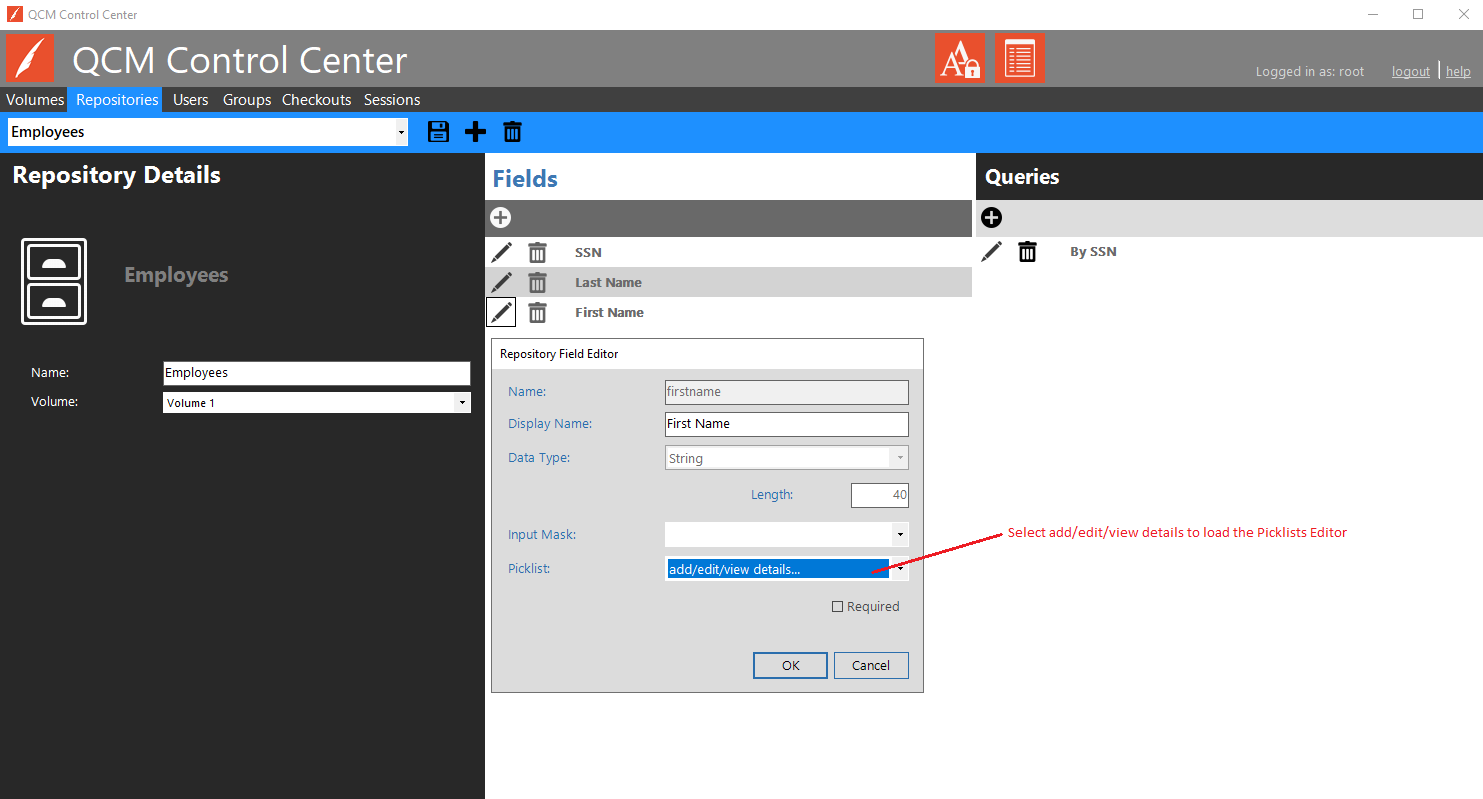
The Picklists Editor can also be started when editing or adding Repository Fields, through the Field Editor.
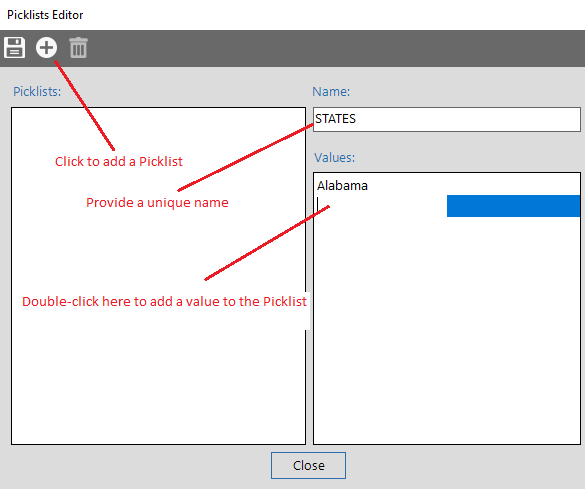
Click 'Add Picklist' to add a new Picklist. Provide a unique name for the Picklist. Add values by double-clicking in the Values list. Type in the value and press Enter to accept the value. Click the Save button to accept the Picklist.
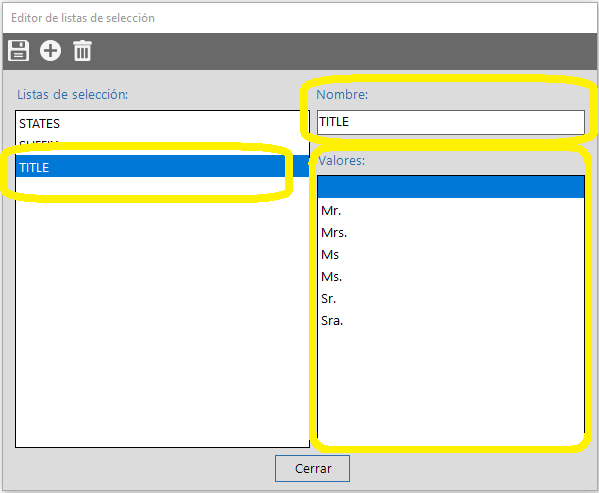
To edit a Picklist, select the Picklist from the list. The Name can be modified, but must still be unique. Edit values by double-clicking on the current value. Add values by double-clicking on the next blank line in the list. Click the Save button to accept the Picklist.