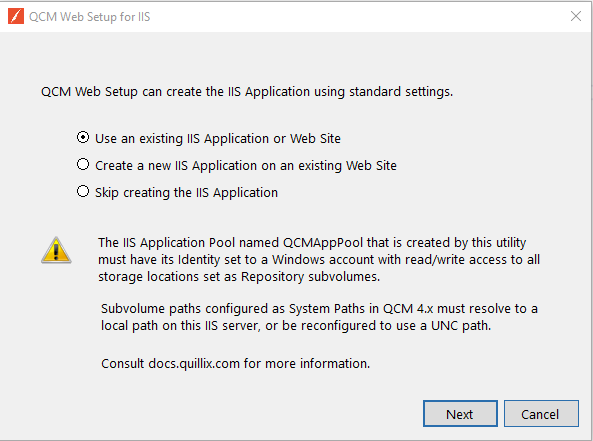
The IIS Configuration Utility will update an existing Web Site or Application, or allow the creation of a new Application on an existing Web Site.
The IIS Configuration Utility will create a new Application Pool for the use of the QCM Web Server. This Application Pool is named QCMAppPool.
The Windows account set as the Application Pool's Identity must have read/write access to any storage locations set as Repository subvolumes. This account will optionally need DML commands access to the database if Windows Authentication is used as described in Database Connection.
The QCM Web Server requires the use of an SSL certificate. This could be a purchased SSL certificate, or one issued by Let's Encrypt (https://letsencrypt.org/).
The QCM Web Server has additional server settings that can be configured manually. Consult Configuring the Web Server for more information.
To verify correct operation once the QCM Web Server has been secured with SSL, browse to the Site you created. Use the built-in Administrator account with the login/password combination admin/admin.
Note: It is recommended to modify the password of the admin account or delete the root account as soon as possible. The admin account can be deleted once another user account has been created and added to the Administrator group.
Client Help
Next Steps