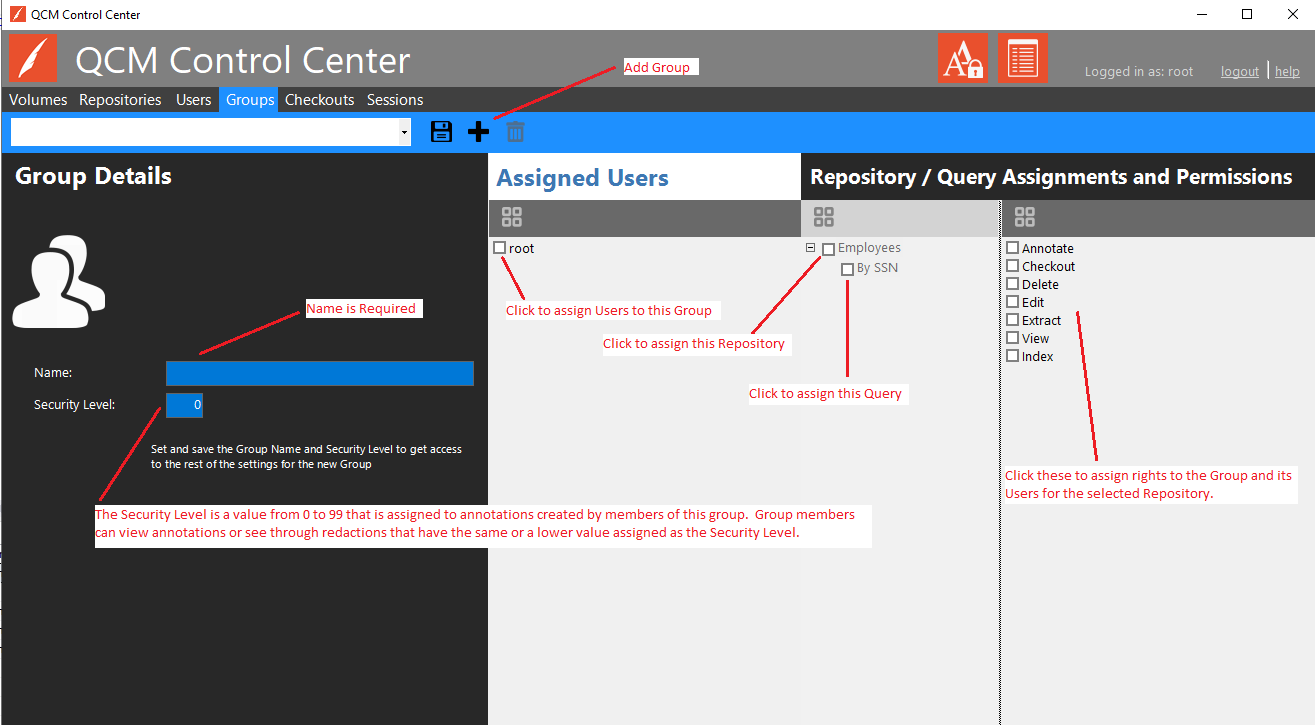
Groups are managed through the QCM Control Center on the Groups tab.
Important! The Administrators group is the group to which users must be added if login to Control Center is required. This group cannot be deleted.
To add a new Group, click on the Add Group button on the toolbar on the Groups tab. Provide a Name and Security Level for the User. Click the Save button on the toolbar to save the changes.
Users can be added to the Group by clicking the check box next to the desired User(s). Select the desired options from the Repository/Query Assignments and Permissions section.
Important! The Group Name and Security Level must be saved prior to attempting to assign users or permissions.
Important! The Security Level is a value from 0 to 99 that is assigned to annotations created by members of this group. Group members can view annotations or see through redactions that have the same or a lower value assigned as the Security Level.
To edit an existing Group, select the Group from the dropdown box on the Groups tab. Name is not editable. Users can be added to Groups by clicking the check box next to the desired User(s). Select the desired security options from the Repository/Query Assignments and Permissions section.
Click the Save button on the toolbar to save the changes.
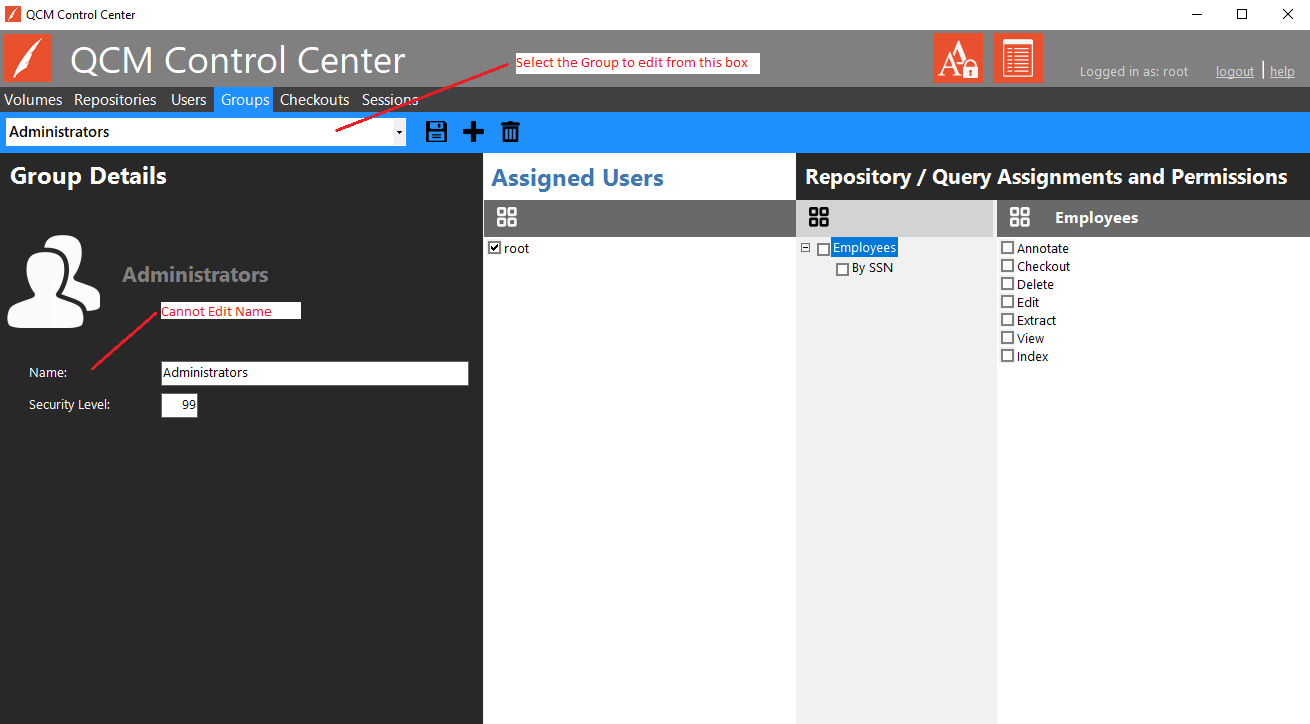
To edit Group rights to a Repository, select a Repository from the treeview by checking the selection box. By default, all Queries for a Repository are selected when the Repository is selected. Select the desired security options from the Permissions section.
Annotate - Allows access to annotation toolbar.
Checkout - Allows checkin/checkout of documents. Requires the View right.
Delete - Allows deleting documents and files.
Edit - Allows editing field data.
Extract - Allows the downloading of documents and the viewing of document properties, including all field values. Requires the View right.
View - Allows seeing the files in a document.
Index - Allows the creation of documents.