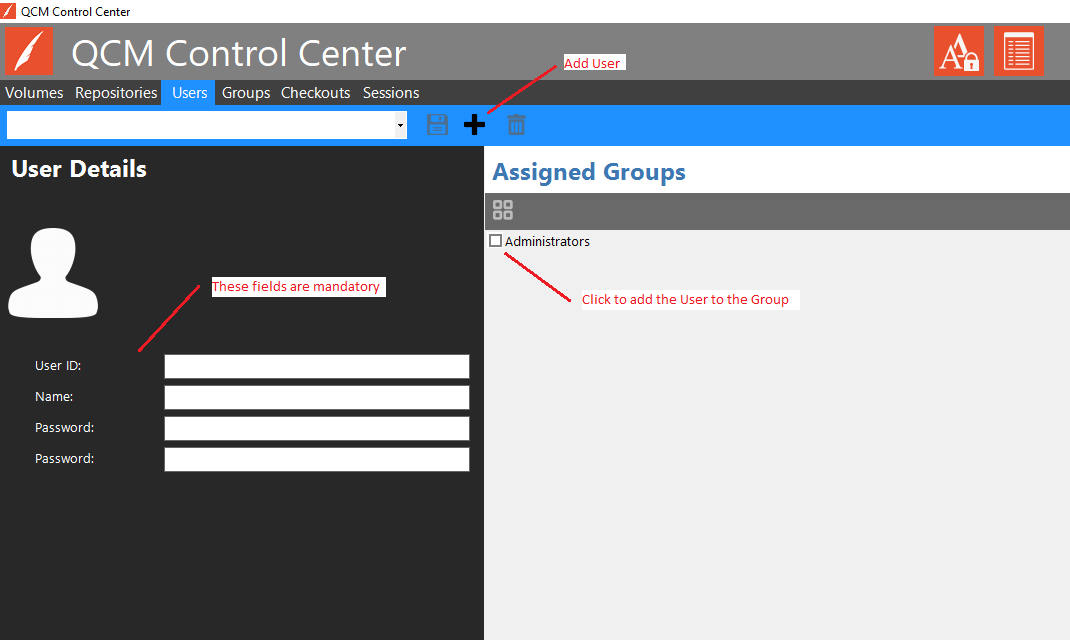
Users are managed through the QCM Control Center on the Users tab.
Important! The default Login/Password for the built-in Administrative User is admin/admin. It is recommended to immediately change the password for this user. The user can be deleted once another user has been added to the built-in Administrator group.
To add a new User, click on the Add User button on the toolbar on the Users tab. Provide a User ID, Name, and Password for the User. Users can be added to Groups by clicking the check box for the desired Group(s).
Click the Save button on the toolbar to save the changes.
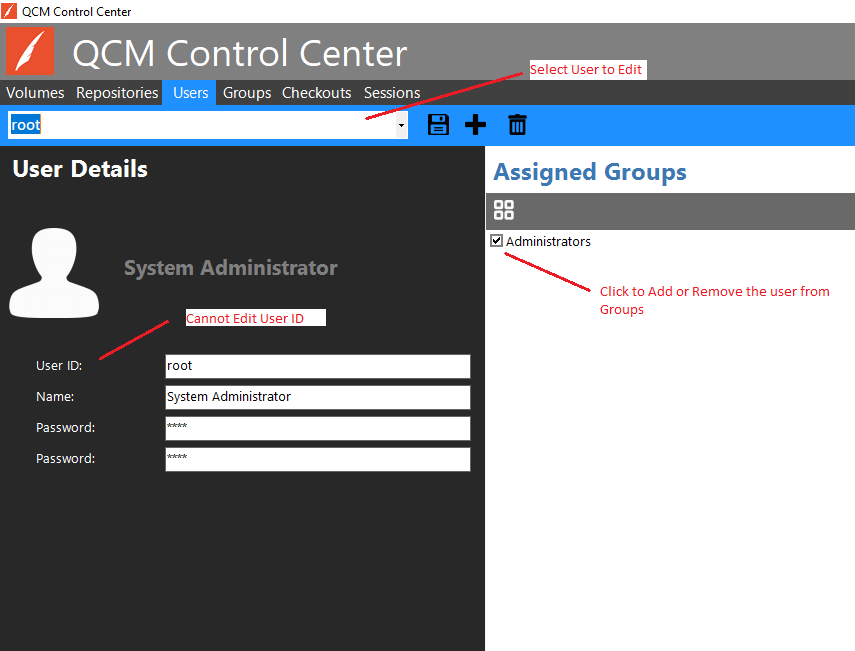
To edit an existing User, select the user from the dropdown box on the Users tab. User ID is not editable. Users can be added to Groups by clicking the check box for the desired Group(s).
Editing a user password will revoke any remembered sessions (allowed by the Remember Me option in the Web Client).
Click the Save button on the toolbar to save the changes.
Next Steps