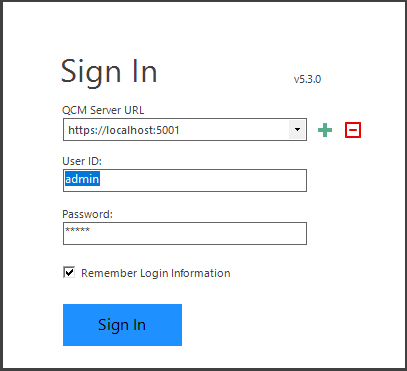
The admin account is a member of the Administrators group and can do anything in Quillix Content Manager, including creating new user accounts and assigning them appropriate privileges.
Figure 1 - QCM Control Center Sign In
Important! The default Login/Password for the built-in Administrative User is admin/admin. It is recommended to immediately change the password for this user. The user can be deleted once another user has been added to the built-in Administrator group.
Before starting to build your first Repository, you must first configure the storage Volume(s) and Subvolume(s). The steps to complete these tasks are provided in detail in the following topic:
Next Steps